


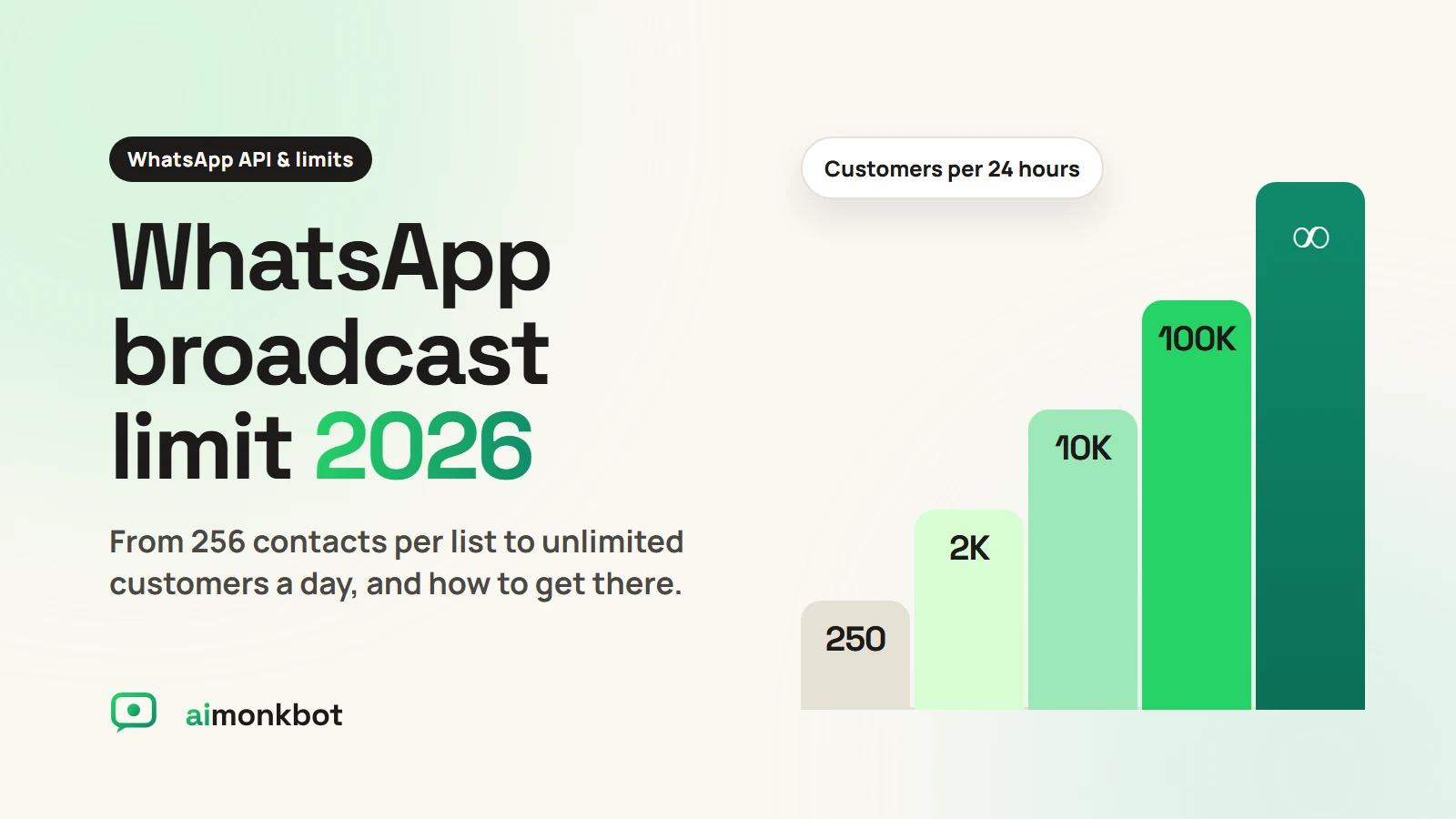
The WhatsApp broadcast limit depends on which WhatsApp you use. In the free WhatsApp Business app, a broadcast list holds up to 256 contacts, and WhatsApp is now adding a monthly cap on broadcasts. On the official WhatsApp Business API there is no list size at all: Meta sets a daily limit on how many different customers you can message, starting at 250 and going up to unlimited. This guide explains both, and how to raise your limit step by step.
The two kinds of WhatsApp broadcast limits
Most confusion comes from mixing up the app and the API. They work very differently.
| WhatsApp Business app (free) | WhatsApp Business API | |
|---|---|---|
| Contacts per broadcast | 256 per list | No list size limit |
| Who receives it | Only people who saved your number | Anyone who opted in |
| Daily or monthly cap | New monthly broadcast cap, rolling out by region | 250 → 2,000 → 10,000 → 100,000 → unlimited customers per 24 hours |
| Cost | Free up to the cap | Meta's per-message rate, by category |
| Automation, team inbox | No | Yes |
WhatsApp Business app: 256 contacts and a new monthly cap
In the free app, you create a broadcast list and add up to 256 contacts. Your message reaches only the people on that list who have saved your number in their phone. Everyone else silently misses it.
There's a newer limit too. WhatsApp has started rolling out message credits for business broadcasts in the app. Each account gets a set number of broadcasts per month, and businesses buy more credits once that runs out. The exact allowance varies by country and is reaching users in stages, as WABetaInfo has reported. That is why searches for "WhatsApp broadcast message limit per month" have jumped this year.
Try aimonkbot free
Official WhatsApp API, set up for you, with Hindi and English support.
WhatsApp Business API: messaging limit tiers
On the official WhatsApp Business API, Meta doesn't limit list size. Instead it sets a messaging limit: the maximum number of different customers you can start conversations with in any rolling 24 hours. According to Meta's messaging limits documentation, the tiers are:
- 250 customers per 24 hours (where every new business starts)
- 2,000
- 10,000
- 100,000
- Unlimited
Three details matter:
- Only business-started messages count. When a customer messages you first, your replies within the customer service window don't use your limit.
- It counts customers, not messages. Sending three messages to the same customer in a day counts once.
- It's shared across your business. Meta sets the limit for your whole business portfolio, so all your WhatsApp numbers share one limit.
How to increase your WhatsApp broadcast limit
Step 1: Get from 250 to 2,000
Meta gives you three ways to reach the 2,000 tier:
- Complete business verification in Meta Business Manager, with your company documents.
- Partner-led verification through your WhatsApp provider, where available.
- Send 2,000 delivered messages to unique customers within 30 days using templates with a good quality rating.
For most Indian businesses, business verification is the fastest route.
Step 2: Scale automatically beyond 2,000
After that, Meta raises your limit automatically when two things are true:
- Your messages have a high quality rating across your numbers and templates.
- You've used at least half of your current limit in the last 7 days.
When both hold, Meta moves you up a tier within about 6 hours. So the way to grow is simple: send regularly, to people who want your messages.
Step 3: Protect your quality rating
Your quality rating drops when customers block or report you. A low rating stops your upgrades and can lower your limits. To keep it high:
- Message only people who opted in, and make opting out easy.
- Segment your list. Send offers only to customers who'll find them relevant.
- Don't over-send. A few useful messages a month beat daily promotions.
- Use the right template category. Keep order and booking updates factual, and send offers as marketing templates.
Should you move from the app to the API?
If you message more than a few hundred people, or need reminders, payments or a shared team inbox, the API is the better fit. You lose the 256-contact list limit and the save-my-number problem, and you can automate replies so every enquiry gets answered.
The trade-off is cost. On the API, Meta charges per template message by category. Marketing messages cost more than utility ones like reminders. Our WhatsApp pricing guide shows current rates in India.
How many contacts can I add to a WhatsApp broadcast list?
In the free WhatsApp Business app, up to 256 contacts per list. On the WhatsApp Business API there is no list size; your daily messaging limit decides how many customers you can reach.
Is there a monthly broadcast limit on WhatsApp?
In the WhatsApp Business app, WhatsApp is rolling out a monthly allowance for broadcasts, with paid credits after that. The amount varies by region. The API has a daily messaging limit instead.
How long does it take to go from 250 to 2,000 on the API?
As soon as your business verification is approved, or once you've sent 2,000 good-quality messages to unique customers within 30 days.
Do replies to customers count toward my limit?
No. Only conversations your business starts count. Replies inside the customer service window don't.
Can I send unlimited broadcasts with aimonkbot?
aimonkbot plans don't cap how many broadcasts you create. How many customers you can reach per day still depends on your Meta messaging limit, which grows as you send good-quality messages.
Outgrown the 256-contact limit?
Get the official WhatsApp Business API, set up for you, with broadcasts, reminders and a team inbox. Try it free for 14 days.